
Lesson 1: Numbers
Lesson 2: Shopping List
Download the file Shopping List and type the shopping item in the box underneath the item. The first one has been done for you as an example.
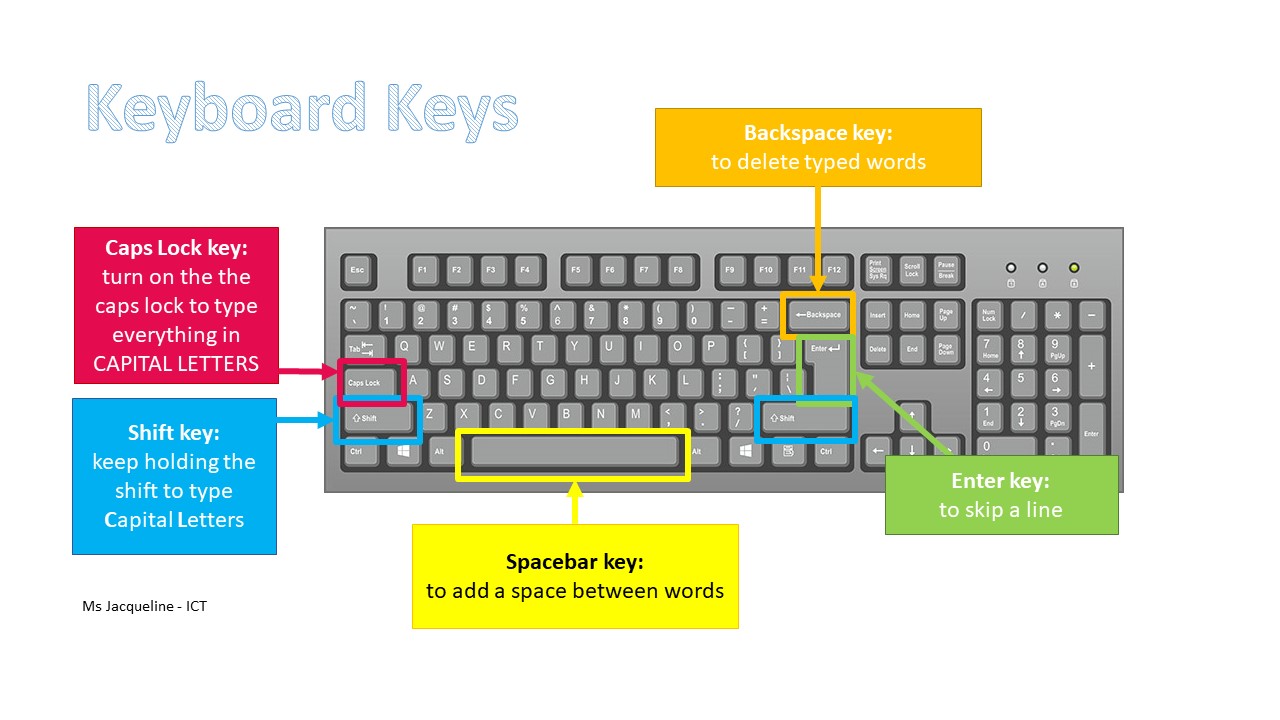
Pay attention to when to use the space bar for inserting a space. (The space bar is the longest key on the keyboard and is used to insert a space between words.)
Lesson 3: Typing Game

Click on the logo Keyboard Jump to open the game
Pay attention to the game settings before you start playing this typing game. Select Easy for Difficulty and choose either All Letters or Numbers for Word List as shown by the yellow ovals in the image below:

Lesson 4: Shopping List 2
Download the file Shopping_List 2 and type the shopping item in the box underneath the item. The first one has been done for you as an example.
Pay attention to when to use the space bar for inserting a space. (The space bar is the longest key on the keyboard and is used to insert a space between words.)
Lesson 5: Typing Letters
Lesson 6: Typing Capital Letters using the Shift key
For this lesson, the students will use the shift key to type capital letters. Note that on a keyboard there are two shift keys.
Follow these steps to use the shift key, :
- With the left-hand index finger press and hold down the shift key
- With the right-hand index finger press the letter key
- After typing the letter key, release the left-hand finger
- Use the backspace to delete extra letters typed
Worksheet:
Download the worksheet A_trip_to_the_zoo to practise the shift key. The first one has been done for you as an example. Pay attention to the capital letters in the middle of the sentence.
Video on how to use the shift key:
Lesson 7: Typing Capital Letters using the Caps Lock
For this lesson, the students will use the caps lock to type words whose letters are all in capital letters.
Worksheet:
Download the worksheet Random_words to practise the caps lock key and revise the shift key. The first one has been done for you as an example.
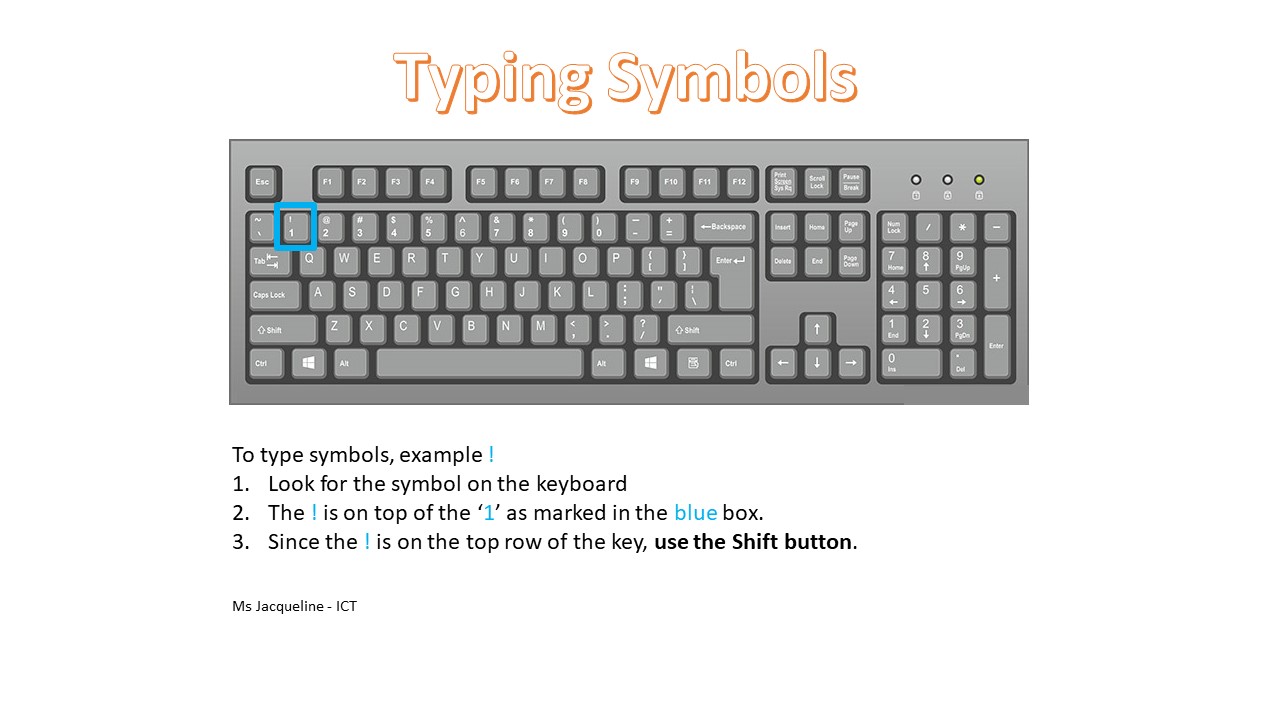
Lesson 8: Typing Punctuation Marks

Worksheet:
Download the worksheet Punctuation_Marks to practise the punctuation marks . ! ? The first one has been done for you as an example.
 ICT Gozo